
Latest Version
ID-DESIGN INC.
Tools
Mac
Free
413702125
Report a Problem
More About WhatSize
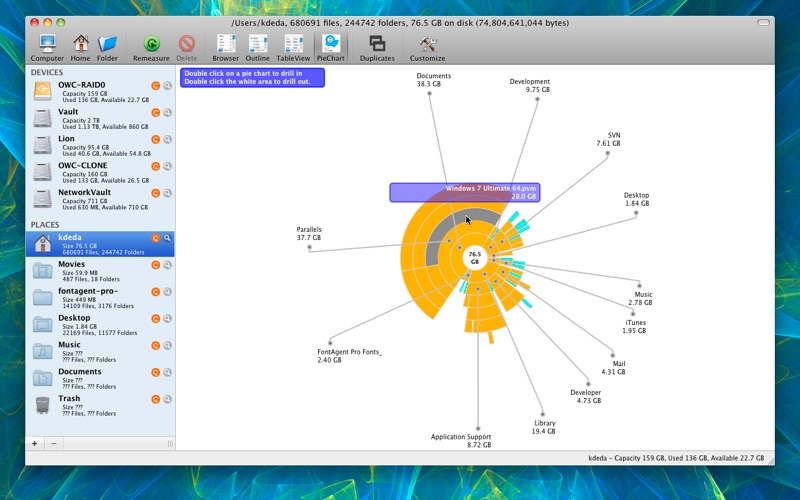
We have all been there: a sudden alert pops up warning you that your startup disk is almost full, yet you have no idea which files are hogging all that room. Finding those hidden space-wasters manually through Finder can take hours. This is where the WhatSize disk utility comes in, offering Mac users a fast, visual, and highly efficient way to analyze storage and reclaim valuable hard drive space.
What is the WhatSize Disk Utility?
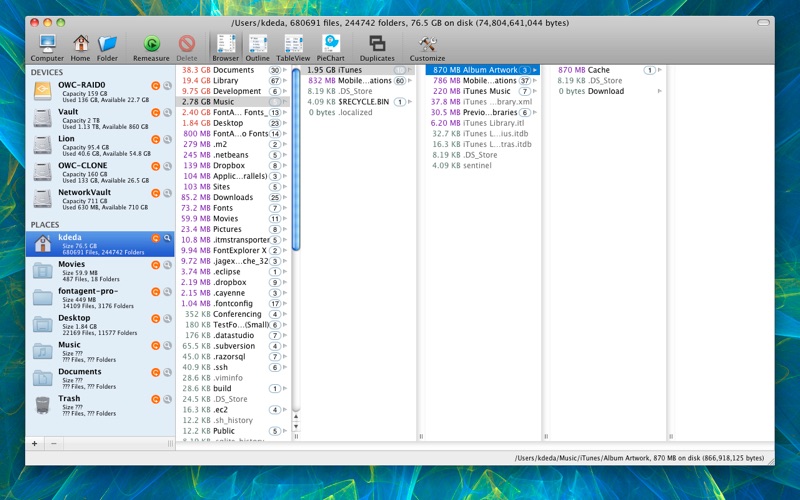
Developed by ID-DESIGN INC., WhatSize is a robust file system utility designed specifically for the Mac platform. Instead of forcing you to click through endless folders to check their info, this tool automatically measures your hard drive and presents your data in a clear, hierarchical structure. By sorting your files and folders with the largest items displayed first, it immediately highlights where your storage is being spent.
Key Features for Smart Space Management
The WhatSize disk utility provides several specialized tools to help you clean up your system safely and intelligently:
- Interactive Visual Display: Drill down into your folders using a dynamic visual map that shows exactly how your disk space is distributed.
- Advanced Sorting and Filtering: Quickly refine your search results to target specific file types, sizes, or folders without digging through system directories.
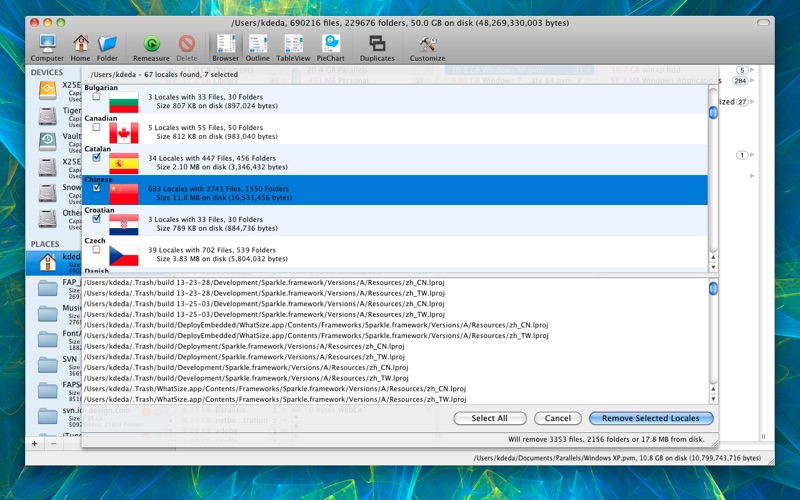
- Intelligent Reclaim Tools: The software identifies hidden bloat, such as unused language localization files and redundant binary portions from universal applications, suggesting safe ways to free up gigabytes.
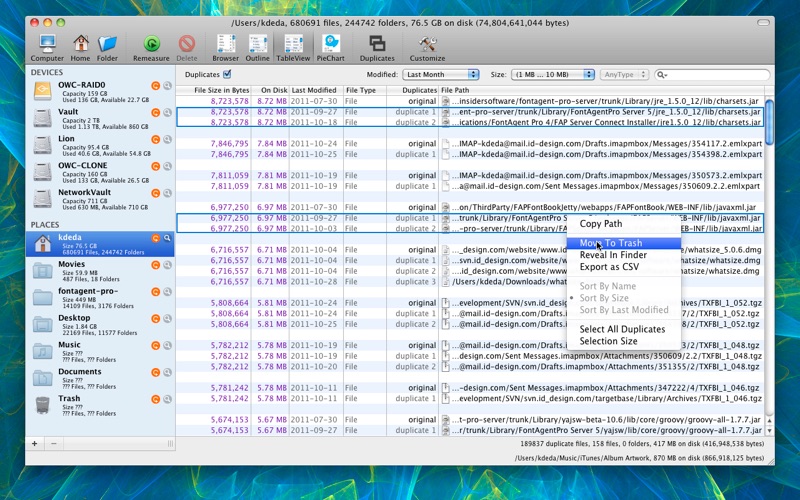
- Duplicate Finder: Locate and remove identical files that are needlessly scattered across your drive, reclaiming space you didn't know you were losing.
Who is This Tool For?
If you are a creative professional handling large media files, a developer with bloated cache folders, or simply a casual Mac user wondering why your system is running sluggishly, this utility simplifies your maintenance routine. It removes the guesswork from storage management, allowing you to make informed decisions about what to keep and what to delete.
Take Control of Your Storage
Maintaining a healthy amount of free space is crucial for keeping your Mac running at peak performance. If you are ready to identify duplicate files, clear out system bloat, and take full control of your hard drive, we highly recommend checking out this utility. You can read more user reviews and purchase the application directly on the official Mac App Store.
Rate the App
User Reviews















Popular Apps









Editor's Choice